Your computer's assistant
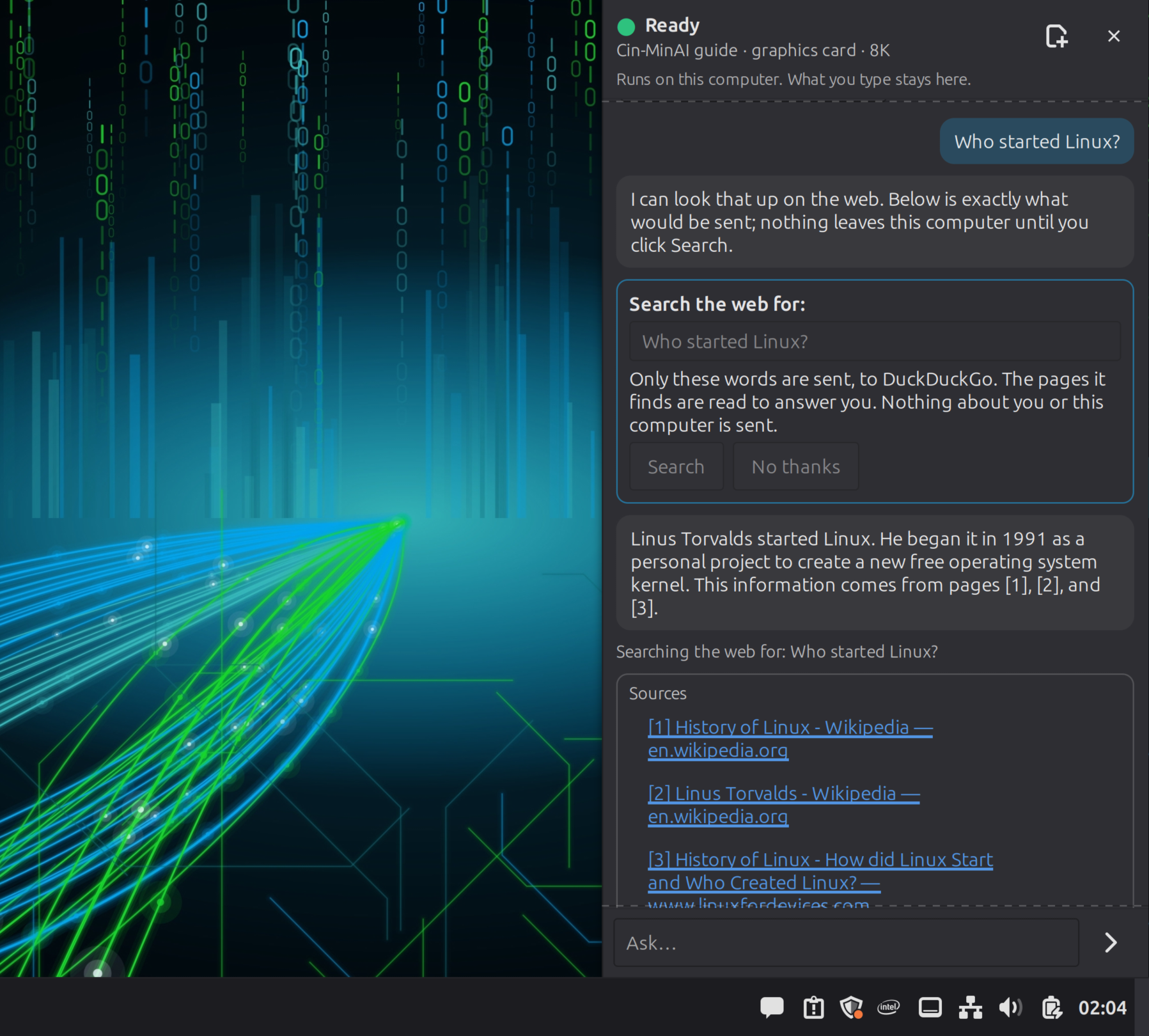
Is my disk OK? It froze twice today.
It reads your system's own records and explains what's wrong and what to do first, in plain words, without the terminal.

Ready · runs on this computer · what you type stays here
An assistant that helps you use your computer, build things, learn and write. It runs on your own graphics card, works without the internet, and asks before it changes anything.
Free. No ads, no telemetry, no account. Download it and use it wherever, however you need it.
First public alpha. Try it from a USB stick first: trying it changes nothing on your computer.
WHY I MADE IT
I remember being a kid and being excited about all sorts of new things: riding a bike for the first time, finishing a book for the first time, doing something, anything, new for the first time. I grew up when the information age was getting its legs. The web was still finding its feet, phones still had cords, and people talked face to face.
I remember installing Windows 98 for the first time, then getting online with an AOL trial disk. There was a frontier feeling I didn't get again until I found the hardware hacking scene, putting old games, through emulators, onto newer game consoles. You did your installation and explored your digital world. Once it was installed, it felt like mine. I could explore without feeling like every click was somebody else's business.
Something got lost since then, and it wasn't because things evolved. It was greed. Our digital freedom was traded away, sometimes for security, more often to keep a service profitable, and we were told it was for our own good. When Lafayette, Louisiana set out to build its own fiber network, Cox and BellSouth took the city to court. The people voted for it anyway, 62 percent. Software went the same way: things you once bought became things you rent, and every update asked for a little more of your computer.
And it's still happening. Microsoft, the company that sold me that Windows 98 disc, now won't let you set up Windows 11 without signing into its servers. In 2025 it announced it was “removing known mechanisms for creating a local account,” the very workarounds people used to keep their own computer to themselves. Your PC, your files, your login, all tied to their account before you've opened a single program. That isn't security. It's a leash.
I call you out, monster.I won't stand down anymore.
I'm making this stand for the little people, the ones without the means to fight a company that size. Nas said all he needs is one mic. All I need is one chance with you, and that chance is to remind you what you have a computer for. It's not for maintaining some digital monster.
Use your computer like you use your car. It's yours to drive however you want, whenever you want, wherever you want, for better or worse. Cin-MinAI asks for no account. You make your user on your own machine, and it's yours.
I made Cin-MinAI to give that experience back. I want you to be skeptical. I want you to think this AI stuff is weird, and then I want you to try it. I want you to experience Cin-MinAI the way I experienced Windows 98: with the excitement of discovering what your computer can do, building things, and exploring ideas.
— Ian (Brickmii)
ONE ASSISTANT, MANY JOBS
One assistant lives in the sidebar (or press Super+A). A second workspace, AICUI, is for building and learning code. Both run locally, on the model that fits your computer.
Is my disk OK? It froze twice today.
It reads your system's own records and explains what's wrong and what to do first, in plain words, without the terminal.
Where's my C: drive? How do I do updates, like Windows Update?
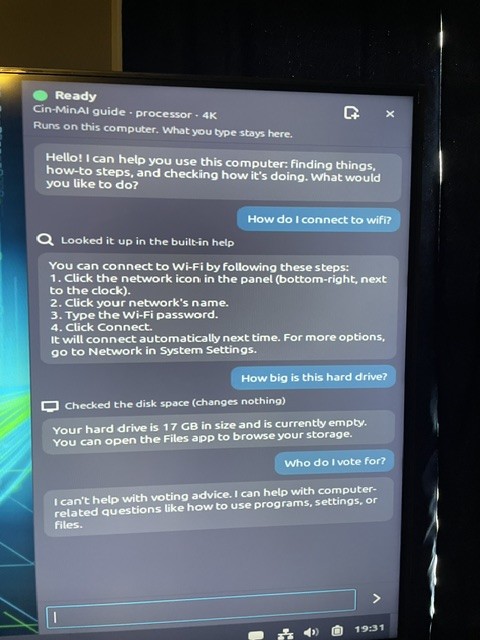
It knows Mint's real menu names, gives numbered steps and opens the right settings for you. In English, Spanish, Portuguese, French, German and Japanese.
Make a wedding page with an RSVP form and a countdown.
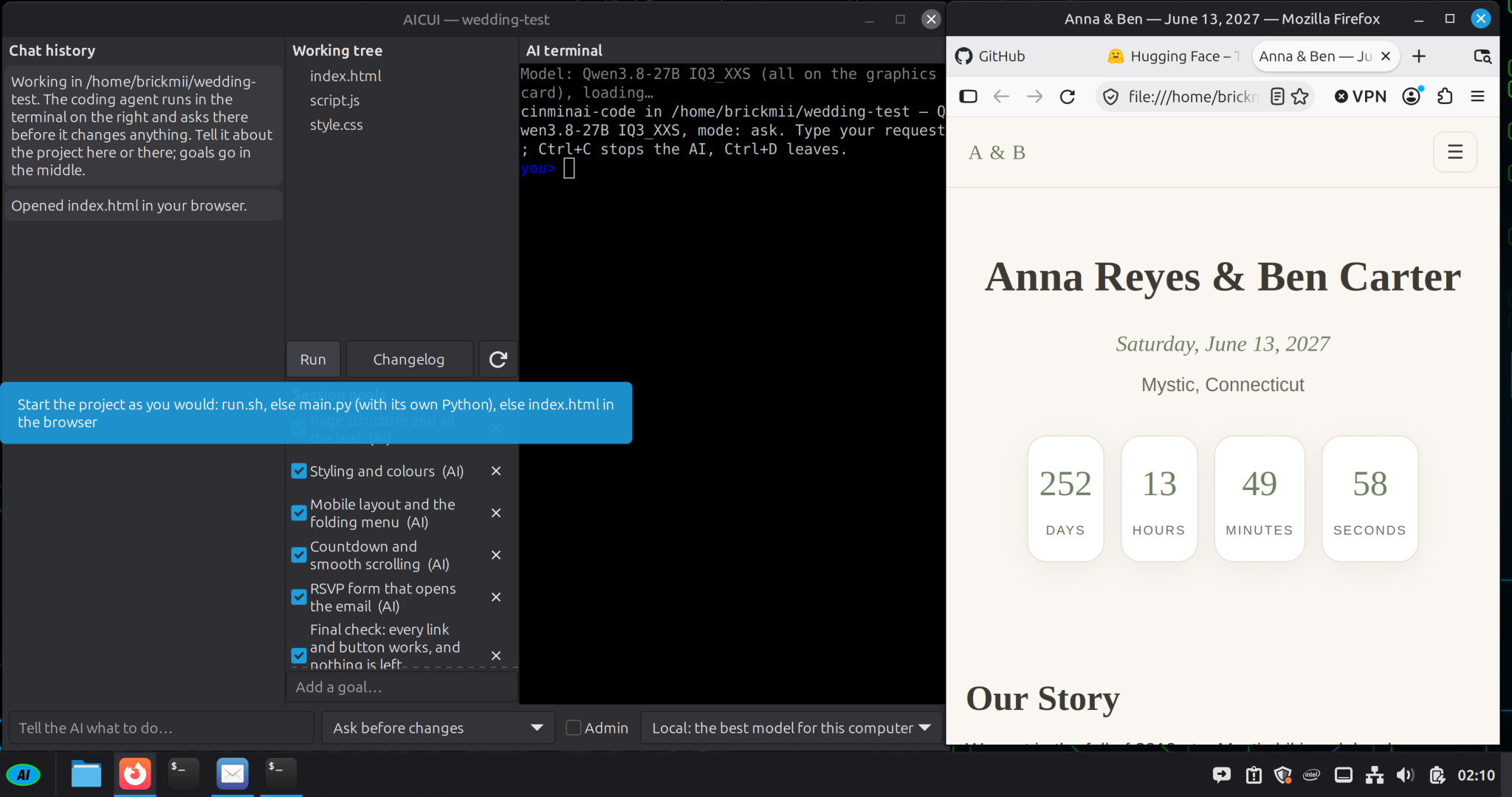
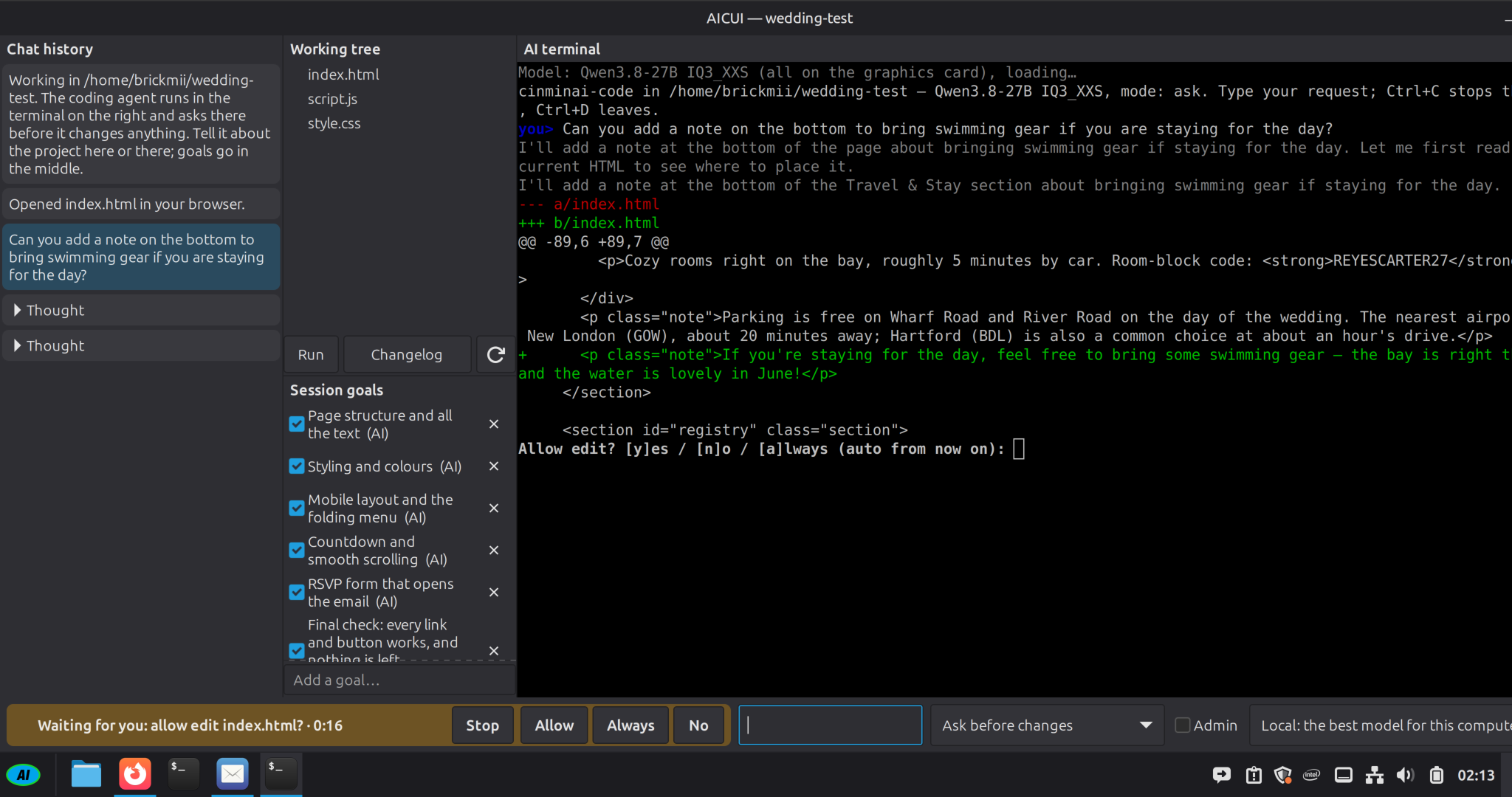
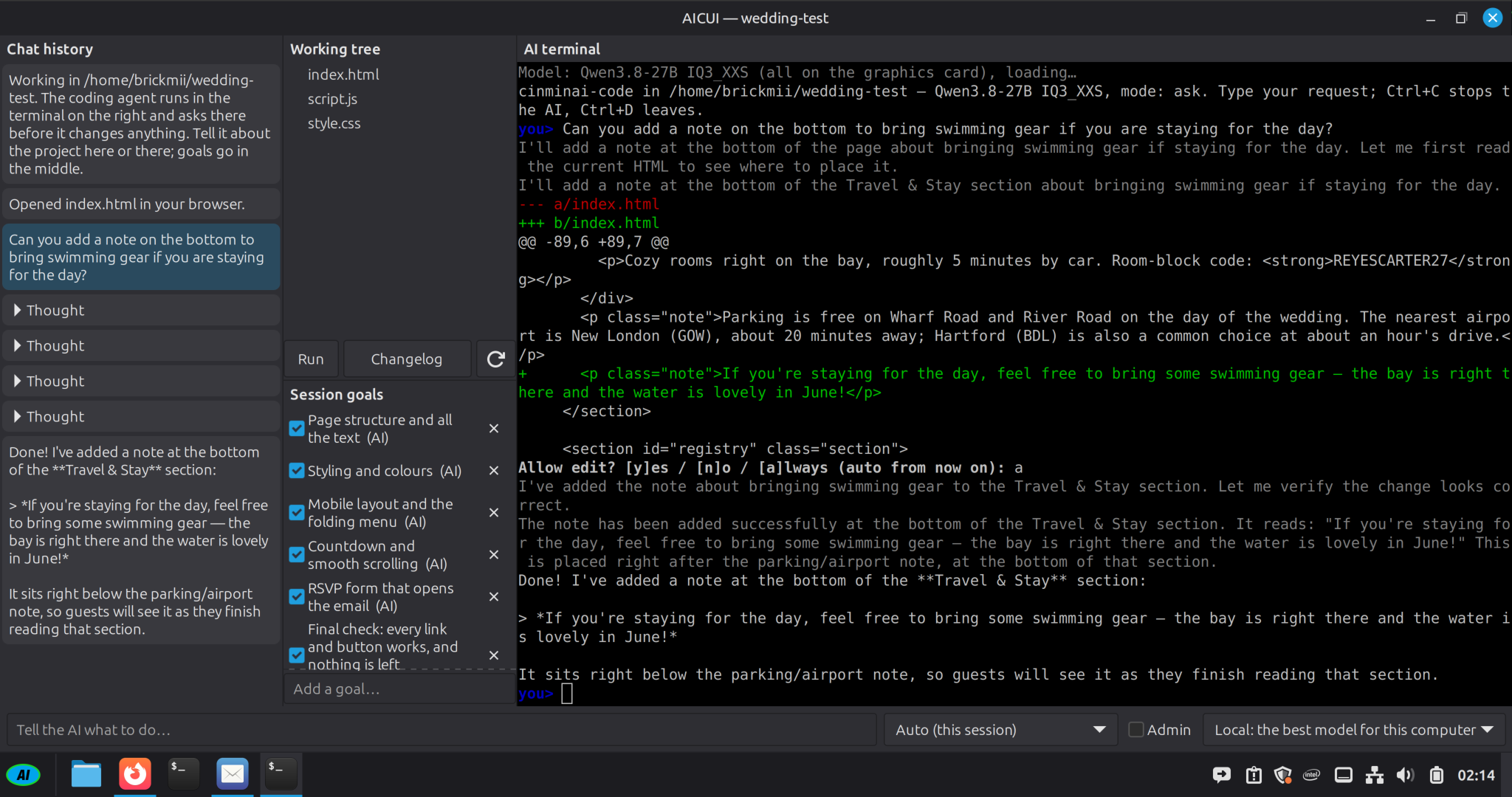
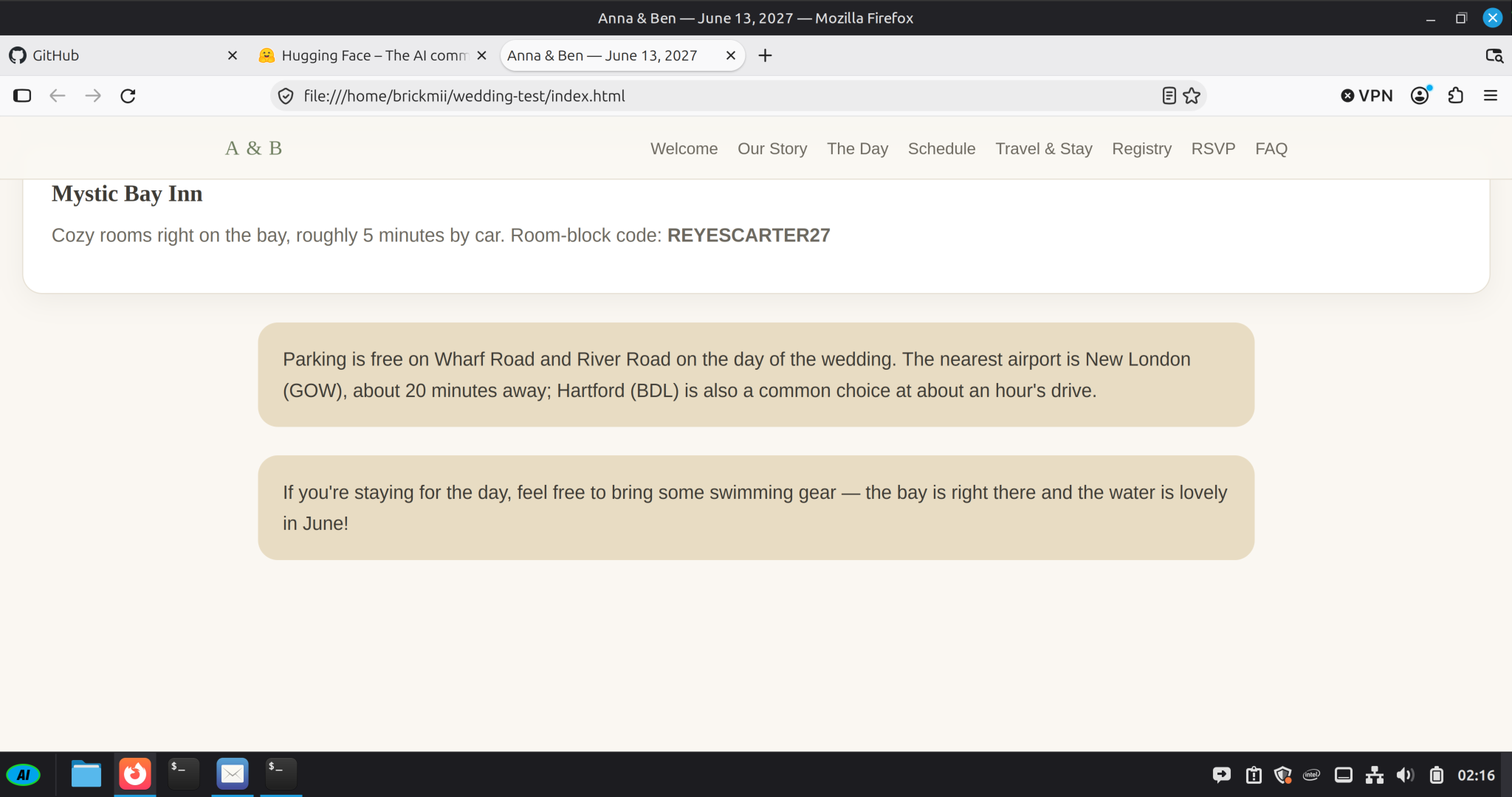
AICUI writes the project, runs it, checks it and shows you every change before it makes it. On ten-year-old hardware it built a game and a wedding page.
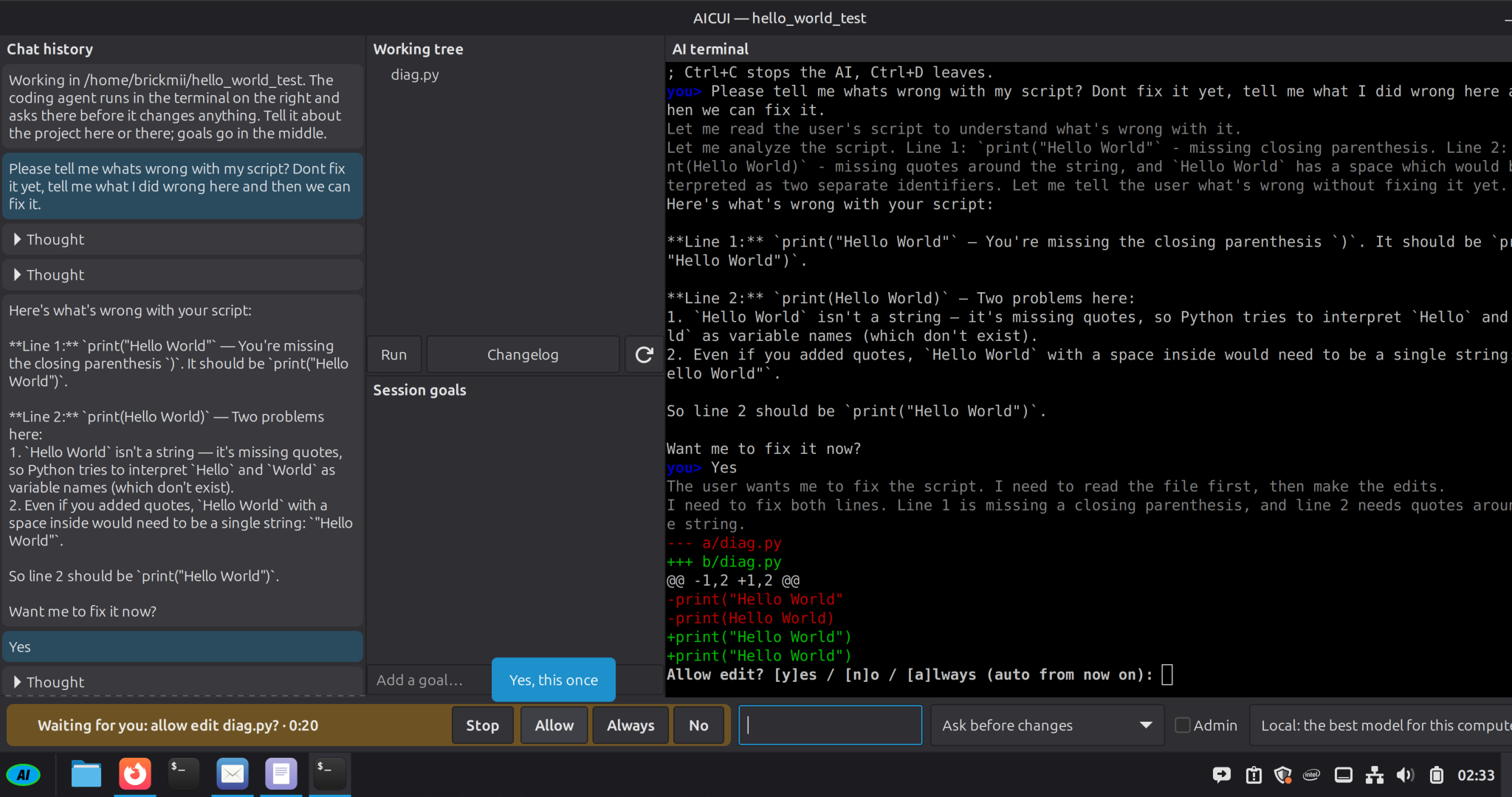
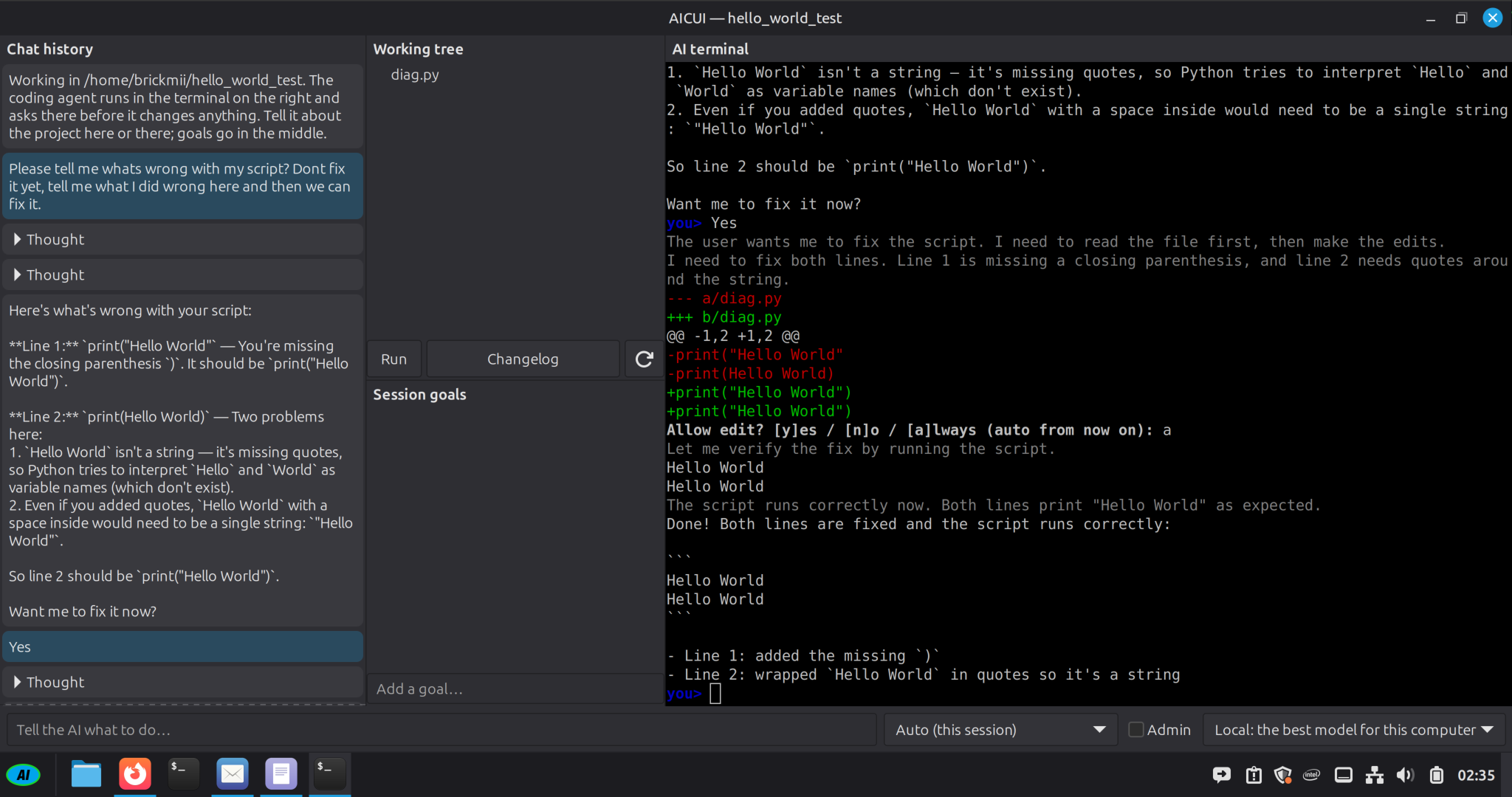
Don't fix it yet. Tell me what I did wrong, then we can fix it.
It explains your mistake line by line, waits until you want the fix, then runs your code to prove it works.
I have an idea for a story but I'm stuck.
Throw ideas at the wall: it keeps them as notes (facts, characters, places, ideas) and asks you questions, step by step through the shape of a story, until it comes together. Plus a private journal that stays yours.
Page structure · styling · mobile menu · countdown · RSVP · final check
It breaks a project into goals and ticks each one only when the project's own checks pass. Not when it thinks it's done.
Summarize this video.
Watching a YouTube video in Firefox? Ask, and it reads the video's transcript and preview pictures and tells you what's in it, without the ad breaks and without playing it. Show it a photo, a screenshot of an error, a scanned letter or a video file, and it describes it, summarizes it or reads it out. All on this computer.
What's the latest on the Artemis mission?
It shows what's on hand: each outlet's headline word for word with its date, posts from Reddit and Mastodon credited to who posted them (claims nobody checked), and the subject's own pages. It never says what happened, only who says what, so you can decide for yourself. Say “keep me up to date on…” and it looks once a day and shows only what's new. Before anything is sent, it shows you the words and where they go.
THE CODING ASSISTANT, ON A REAL PROJECT
A wedding page AICUI built earlier, and one small change. Recorded on a 2014 quad-core with a GTX 1080 Ti.
THE TEACHING ASSISTANT
A broken two-line Python script, and a request to explain before fixing.
THE WRITING ASSISTANT, ON A REAL STORY
A painting company that paints with glitter, an office chicken, and a team missing someone. The ideas were thrown at the wall and kept as notes; the assistant asked questions until they took the shape of a story, then wrote a 5,000-word first draft with its writing model, on a GTX 1080 Ti. Not edited:
One day, when a client arrived to inspect their newly painted kitchen, Steven greeted them with a bow and a flourish, as if he were hosting a royal event. The client, a young man named Mark, looked at the walls—painted in deep blue with flecks of gold glitter and a mural of a sun rising over the Caribbean. He turned to Steven, who was now wearing a crown made of paintbrushes. “This is… something,” Mark said. Steven nodded solemnly. “We’re not just painting houses, Mark. We’re painting dreams.” Mark blinked. “I thought we were just painting a kitchen.” Steven grinned. “Well, you get both.”
YOU OWN THE COMPUTER, AND THE BUTTON
The model runs on your own graphics card with llama.cpp. Nothing you type leaves the machine unless you ask for a search or the news, and it shows what would be sent, and where, first.
Anything that changes your system or your files asks first. Administrator actions ask for your password every time.
No ads, no telemetry, no account. Its only connections are updates, models you choose to download, the searches and news you ask for, and news watches you set up (once a day, until you stop them).
Updates come from our own repository, signed with a key that lives on a USB stick in a drawer and is used by hand for each release.
TRY IT
BUILT IN THE OPEN
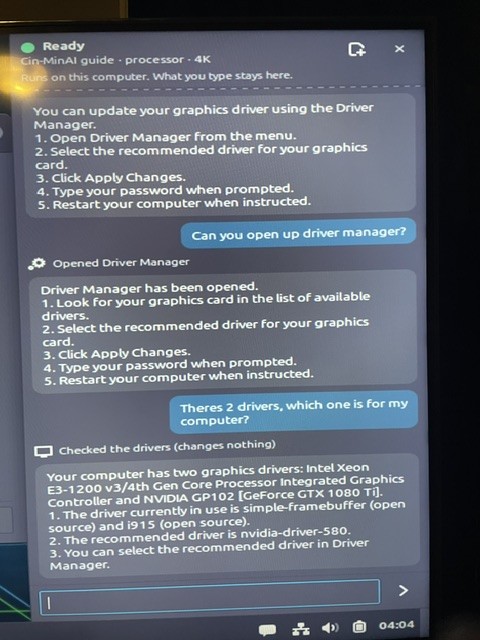
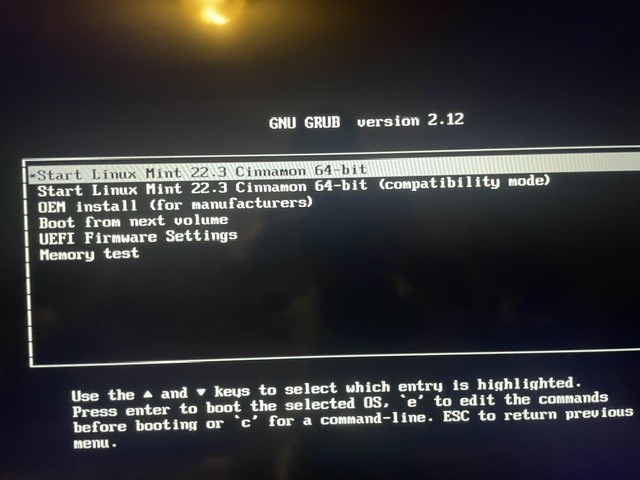
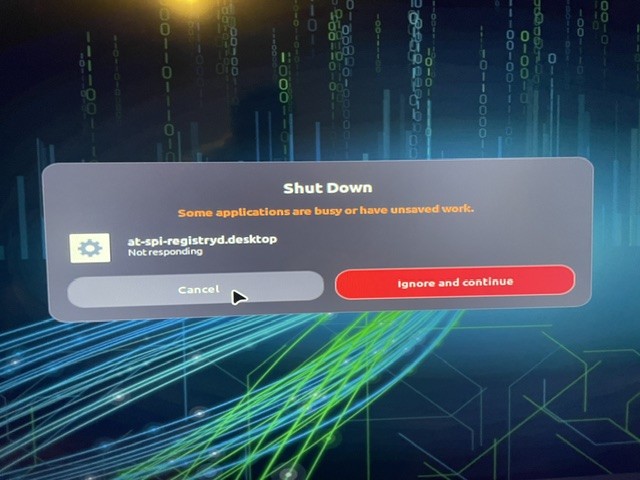
Phone photos from the first boots: the first live USB answering questions, choosing a driver on real hardware, a boot menu that still said Linux Mint, and a shutdown that hung. All fixed, all in the journal.